
Connect Restaurantly to your thermal printers.
Print Engine handles instant receipt and ticket printing across your counter, kitchen, and bar without slowing down operations.
Start Printing in 3 Easy Steps
Download Print Engine
Get the lightweight Print Engine app for your computer. It connects your printers directly with Restaurantly, so orders start printing instantly without extra setup.
Install Print Engine
Open the downloaded file and follow the quick installation steps. Print Engine automatically sets itself up to launch when your computer starts, so it's always ready when your restaurant opens.
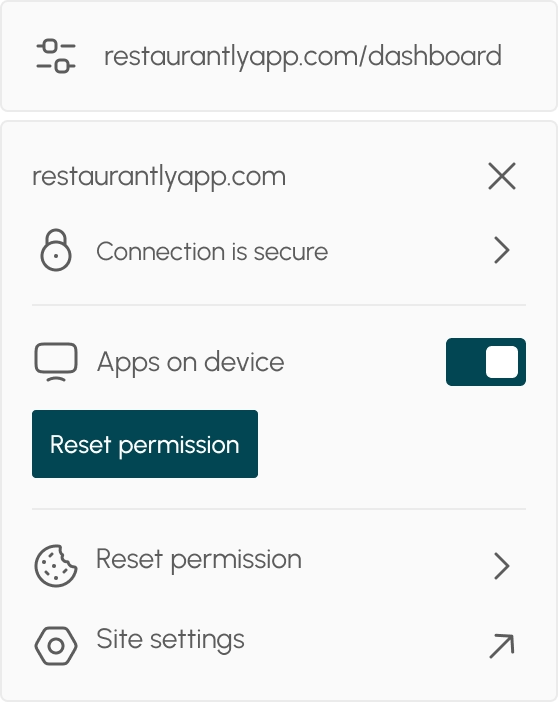
Allow Browser Access
Before printing for the first time, allow your browser to communicate with Print Engine. Click the settings icon in your browser's address bar, where you see the website address, then enable the “Apps on device” permission. After that, refresh the app. You only need to do this once.
Download Print Engine
Download Print Engine to connect Restaurantly with your printers. Once installed, it prints every order instantly